Anchor alarm for iPhone and iPad

Sleep at anchor.
We'll keep watch.

Set the anchor, check the circle and go to sleep. If the boat drags, GuardianAnchor wakes you, and your whole crew, wherever they are.

Coming soon to the App StoreSee how it works

Free anchor alarmNo accountNo ads or tracking

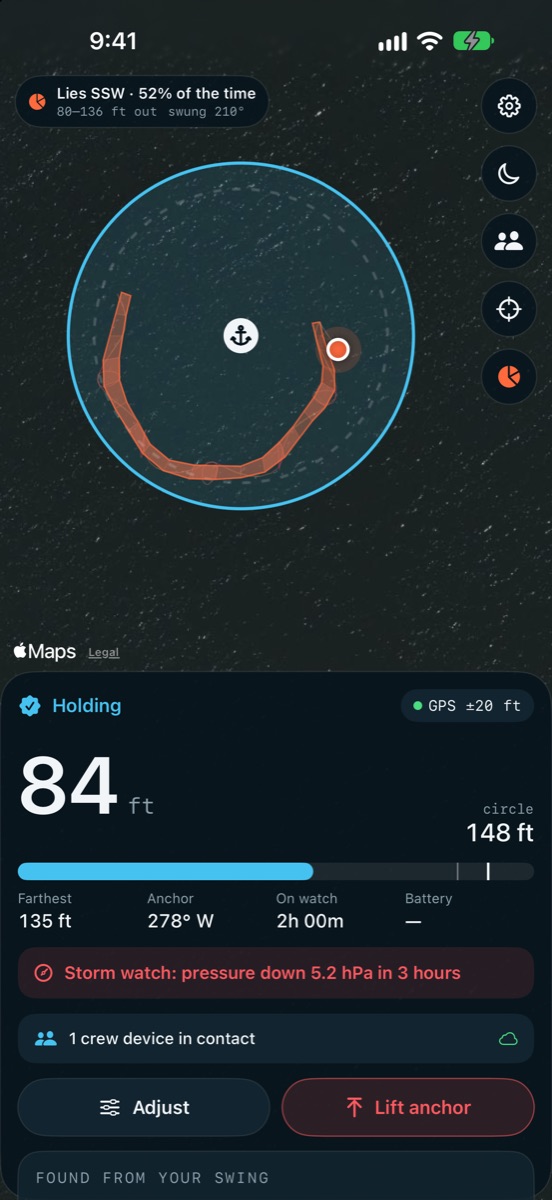
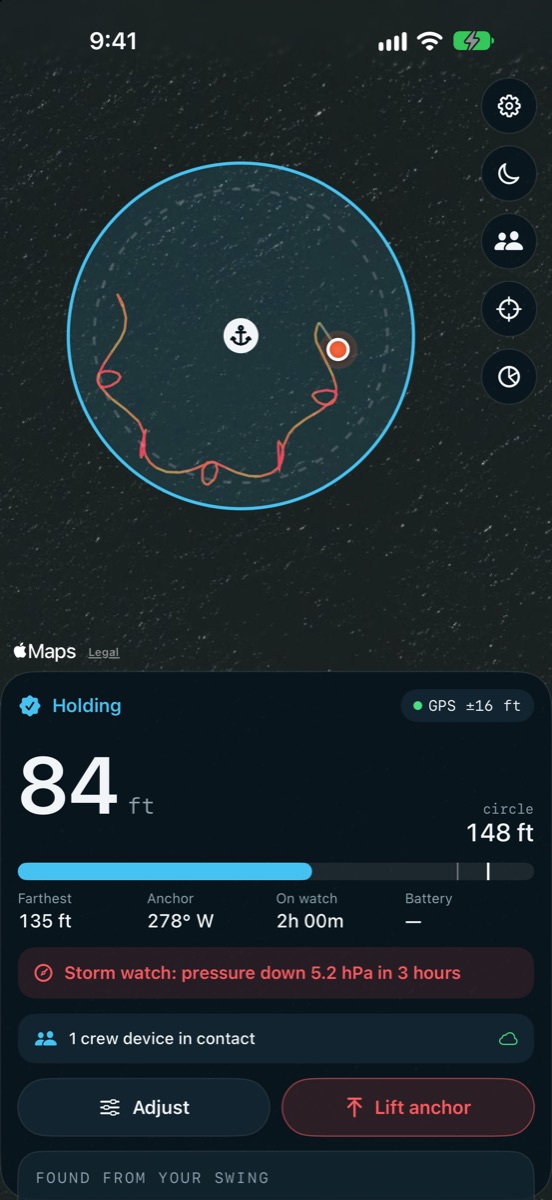
GuardianAnchor holding at anchor: the boat 84 ft from the anchor inside a 148 ft circle, with its overnight trail
Loud on silentThrough the speaker, phone locked
No false alarmsOne bad GPS fix won't wake you
No signal neededThe alarm runs on GPS alone
The whole crewEvery phone rings, aboard or ashore

Built for 3 a.m.

An alarm you can trust to get you up.

A drag alarm is only as good as the night it doesn't fail. GuardianAnchor wakes you when it should, stays quiet when it should, and never goes silent without telling you.

It gets you up

Loud through the speaker with the phone locked and on silent. The lock screen and Dynamic Island show the distance at a glance.

It doesn't cry wolf

GPS jumps around. GuardianAnchor waits until the fixes agree before it decides the boat has really moved.

It never goes quiet

It warns you if the GPS drops out or the battery runs low, not just when the boat leaves the circle.

It won't let it go

Silence it while you get on deck. If the boat is still outside the circle, it sounds again.

Set the anchor

Put it where it really is.

Most alarms assume the anchor is wherever the phone was when you pressed the button. GuardianAnchor lets you put it where it actually lies, then suggests a circle from your rode, the depth and your boat.

From the bow

Tap as the anchor hits the bottom. GuardianAnchor averages a few seconds of GPS for a steady position.

From the cockpit

Already back aft? Point the phone at the anchor and GuardianAnchor works out where it lies.

From the chart

Drag the chart to a known spot. You can move the anchor or change the circle at any time.

When it drags

Everything you need, half asleep.

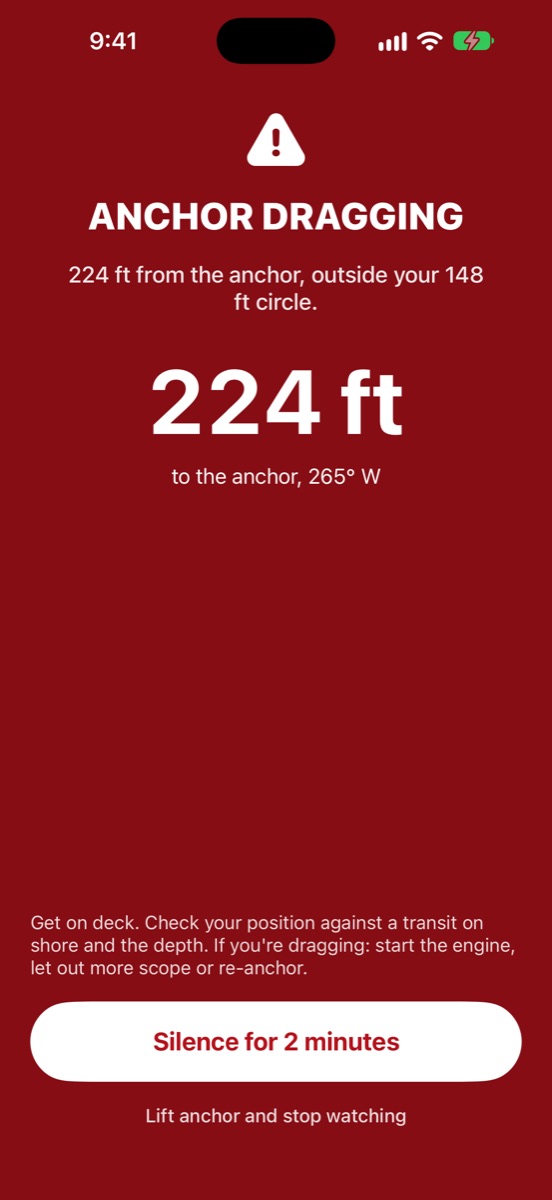
The alarm screen shows how far you are from the anchor and which way it lies, in big type, with what to do next.

  • The distance and bearing to the anchor, and how far outside the circle you are
  • Every crew phone rings too, and shows who's dealing with it
  • Silence it while you check. It sounds again if the boat is still outside
The drag alarm: Anchor dragging, 224 ft from the anchor, outside the 148 ft circle

See how the boat lies

Read the night at a glance.

A satellite chart with your circle and the boat's trail, coloured by where it spent its time.

  • The swing pattern shows every direction and distance the boat has lain in, so a new one stands out
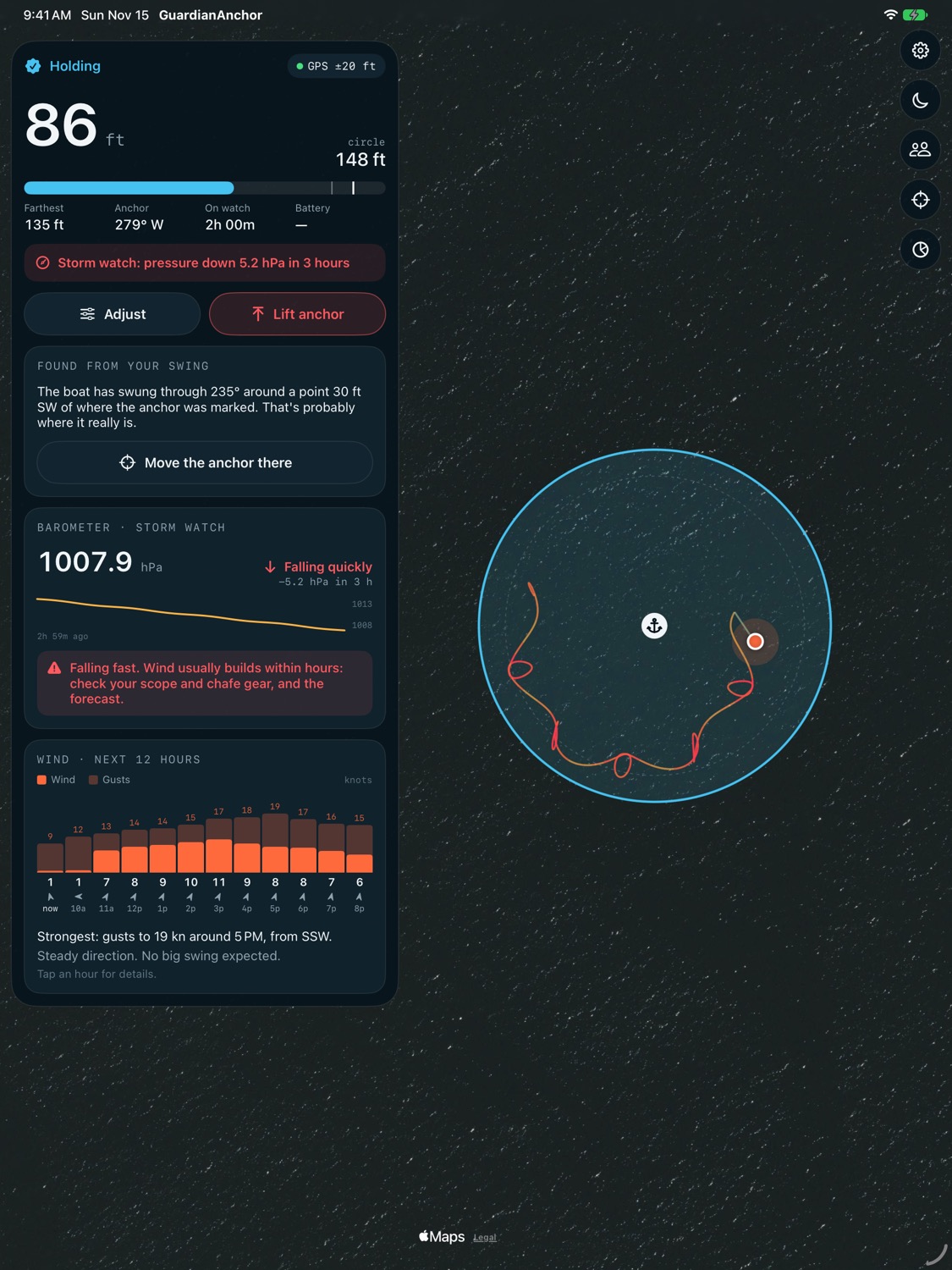
  • Works out where the anchor really is from how the boat swings around it
  • The farthest point so far, the time on watch and the battery, all on one screen
The swing pattern: where and how far the boat has lain around the anchor

Weather

Know what's coming tonight.

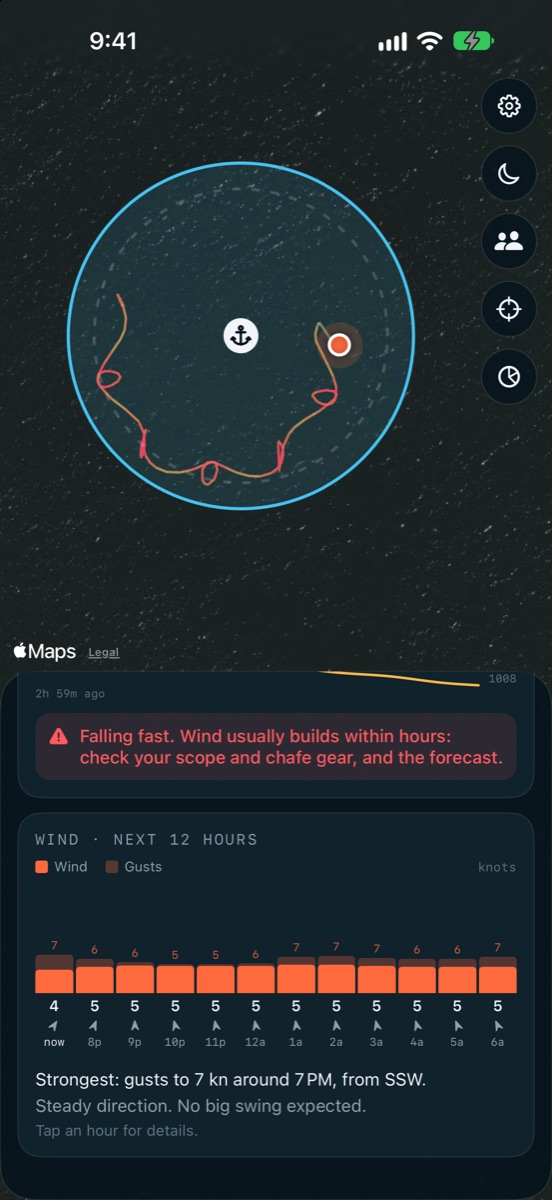
Wind that shifts in the night is what drags boats. GuardianAnchor watches for it.

  • Hour-by-hour wind and gusts for the night ahead, and a heads-up before the biggest shift
  • Storm watch uses the iPhone's barometer to warn you when the pressure falls fast, the old sailor's sign that wind is on its way
The wind outlook for the night, and storm watch warning of falling pressure

Night mode

Easy on dark-adapted eyes.

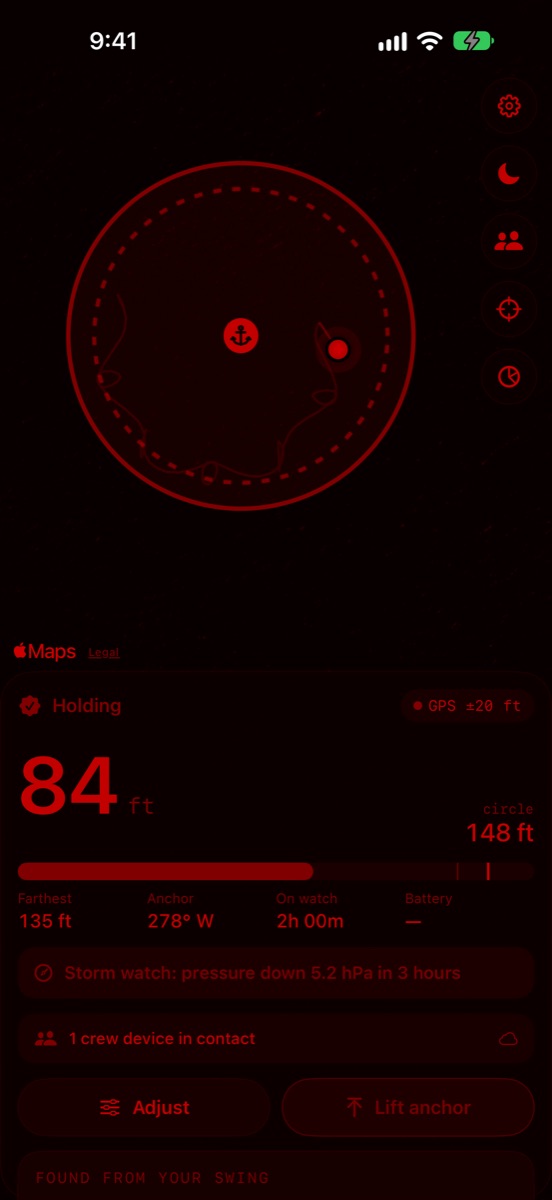
One tap turns the whole screen dim red, the chart and the trail included, so checking on the boat at 3 a.m. doesn't ruin your night vision.

Night mode: the whole screen in dim red

Anchor history

Find your favourite spots again.

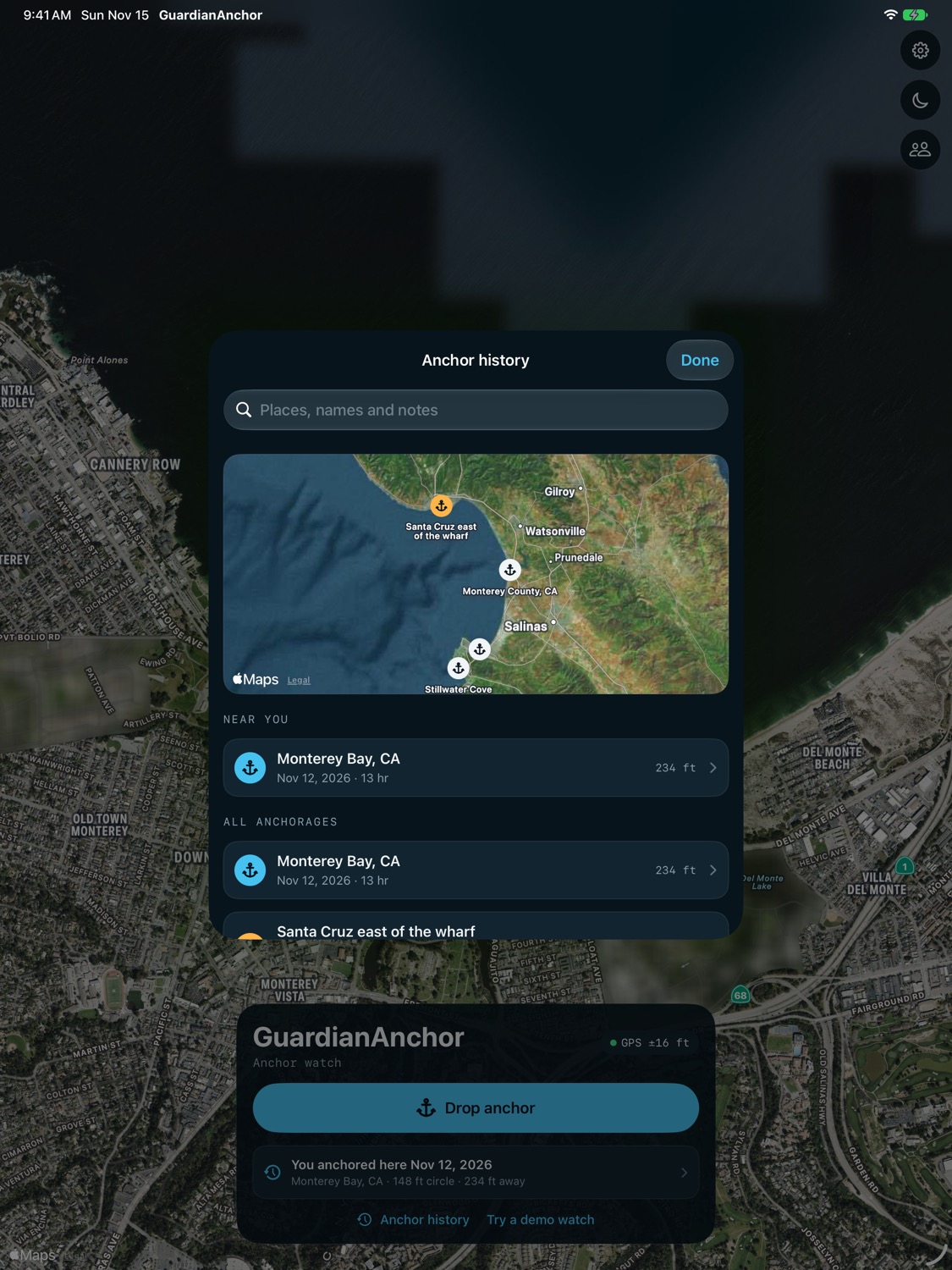
Every anchorage is saved with its track, circle and your notes. Look back on a season of anchorages, or return to the good ones.

  • "You anchored here before": last time's circle, ready when you come back
  • Directions back in Maps, or anchor there again in one tap
  • Name a spot and write down what you learned: the holding, the swell, the wind direction
Anchor history on iPad: a map of past anchorages and a list of each one

Crew

Keep watch together.

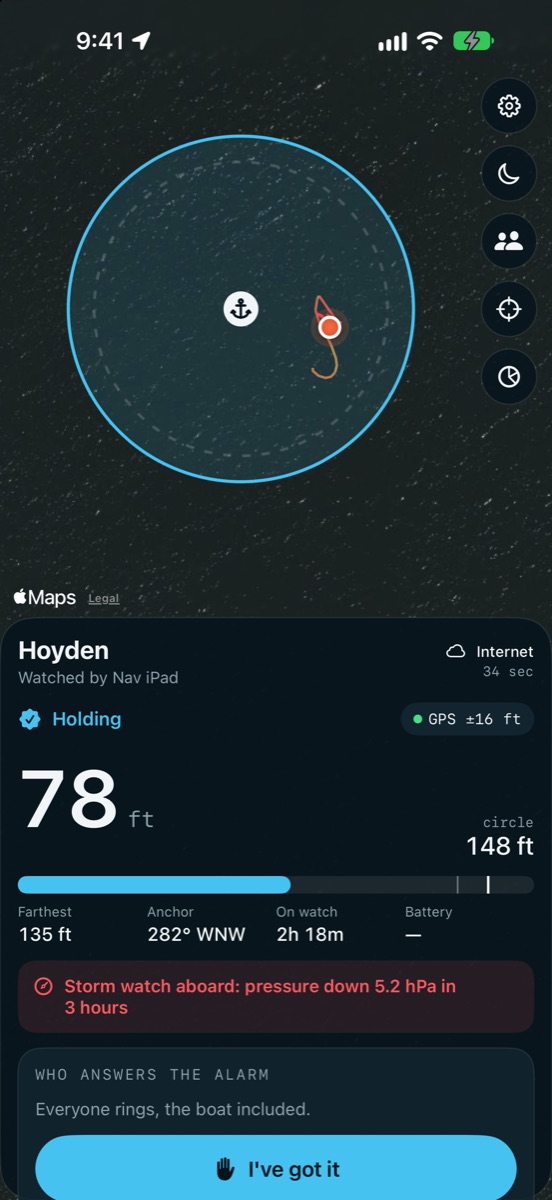
Ashore for dinner, asleep in the forepeak or on another boat in the anchorage: every phone in the crew sees the watch live and rings when it matters.

  • Invite the crew with a link. There's nothing to sign up for
  • Everyone gets the alarm, and whoever answers first takes it with "I've got it"
  • Hand the watch to another phone, or lift the anchor from any of them
  • The boat's subscription covers the whole crew, and joining is free
A crew phone following the boat's watch, with the I've got it button

No signal? Still works.Premium

Pair the phones aboard once at the dock. After that they talk to each other directly over Wi-Fi Aware and Bluetooth, with no cell signal or internet.

Hand off the watch

Going ashore with your phone? Hand the watch to the phone staying aboard, track and all, and take it back when you return.

Peace of mind ashore

Leave someone aboard and still see the boat from the restaurant. If it drags, your phone rings too.

iPad

A big chart at the chart table.

On iPad, GuardianAnchor uses the whole screen: a large chart with the controls alongside. Follow the watch from below, or run it on a cellular iPad with GPS.

GuardianAnchor on iPad: a large chart of the anchor circle and track, with the watch panel alongside

Pricing

The alarm is free. Always.

Plans add the weather, the crew and your history. Try either one free for a week.

Free

$0

No account, no card

  • The drag alarm, loud on silent
  • GPS-lost and low-battery alarms
  • Lock screen and Dynamic Island
  • Night mode
  • Join any crew

Essential

$4.99 / year

1-week free trial

  • Everything in Free
  • Storm watch
  • Wind outlook for the night
  • Swing pattern and anchor finding
  • Crew alarms: their phones ring too

Premium · Best for crews

$17.99 / year

or $2.99 / month · 1-week free trial

  • Everything in Essential
  • The live chart and trail on every crew phone
  • Take over, hand off and lift from any phone
  • No-signal mode over Wi-Fi and Bluetooth
  • Anchor history

One subscription covers your whole crew. Cancel any time in your Apple ID settings.

Questions

Asked at the anchorage.

How does GuardianAnchor know the boat is dragging?

You set where the anchor is and how far the boat can swing: a circle around the anchor. GuardianAnchor follows the boat's GPS all night and sounds the alarm when it stays outside the circle. It waits for the GPS to agree with itself first, so one bad fix doesn't wake the boat.

Will it wake me with the phone locked or on silent?

Yes. The alarm plays through the phone's speaker even with the ringer switched off and the screen locked. Keep the volume up and the phone on charge overnight.

How do I set the anchor?

Three ways. Tap at the bow as the anchor hits the bottom. Point the phone at the anchor from the cockpit. Or drag the chart to the spot. GuardianAnchor suggests a circle from your rode, the depth and your boat, and you can adjust it at any time.

Is it free?

The anchor alarm is free for good: the drag, GPS and battery alarms, night mode and the demo, with no account. Essential and Premium add weather, the swing pattern, the crew features and your anchor history. Try either one free for a week.

Can I keep an eye on the boat from ashore?

Yes. Invite your crew with a link and every phone in the crew sees the watch, whether it's aboard, in another bunk or ashore at dinner. They all get the alarm, and the first to answer takes it.

Does it work without cell signal?

The alarm only needs GPS, so it works anywhere. Crew phones aboard can pair once at the dock and then talk to each other directly over Wi-Fi and Bluetooth, with no cell signal or internet (Premium).

Does one subscription cover the whole crew?

Yes. The boat's subscription covers everyone in its crew, and joining a crew is always free.

Does it work on iPad?

Yes. An iPad makes a big chart-table display that follows the watch. To run the watch itself it needs GPS, which only cellular iPads have.

Can I find an old anchorage again?

With Premium, every anchorage is saved with its track, circle and your notes. When you're near a spot you've anchored before, GuardianAnchor tells you. You can get directions back, or anchor there again in one tap.

What happens to my data?

Your position and history stay on your phone. There are no accounts, ads or tracking. The crew features go through a relay that only your crew's phones can read. The full details are in the privacy policy.

Something else? Ask us.
Get some sleep tonight.

GuardianAnchor keeps watch so you don't have to.

Coming soon to the App Store